
Managing multiple social channels can quickly become overwhelming, especially as your brand grows and audiences expect consistent, timely updates. An automated social media posting schedule helps streamline this process, allowing you to plan, schedule, and publish content efficiently. By leveraging automation, you can maintain a steady online presence, free up valuable time, and focus on engaging with your community rather than scrambling to post manually each day. This guide walks through essential tools, step-by-step scheduling strategies, and best practices to help you maximize engagement and efficiency.
Understanding Social Media Automation and Its Benefits
Social media automation refers to using software to schedule and publish posts across platforms like Facebook, Instagram, LinkedIn, and X (formerly Twitter) without manual intervention for each update. This approach offers several advantages:
- Consistency: Automation ensures your content goes live at optimal times, even outside working hours or during holidays.
- Efficiency: Batch-scheduling posts saves time, letting you focus on strategy and engagement.
- Scalability: As your presence grows, automation makes it easier to manage multiple accounts and campaigns.
- Data-driven optimization: Many automation tools provide analytics, helping you refine your posting strategy for better results.
Automating your posting schedule is not about removing the human touch—it’s about freeing up resources to interact meaningfully with your audience and refine your content approach.
Choosing the Right Automation Tools
With a variety of platforms available, selecting the right tool for your automated social media posting schedule is crucial. Here’s a look at some widely used options and what sets them apart:
Hootsuite
Hootsuite is a popular choice for businesses and individuals seeking robust scheduling features. According to Hootsuite, their scheduler allows users to plan and queue content to go live at times optimized for engagement. Features include:
- Bulk scheduling for multiple posts across different platforms
- AI-powered suggestions for optimal posting times
- Comprehensive analytics to track performance
- Integration with a wide range of social networks
AMA Social Media Content Calendar
The AMA Social Media Content Calendar Template is a practical tool for organizing your marketing efforts. This template provides structured weekly and monthly views, making it easier to visualize your content plan and maintain consistency. Benefits include:
- Clear overview of upcoming posts and campaigns
- Helps balance content types and themes
- Facilitates collaboration among team members
Other Noteworthy Tools
While Hootsuite and the AMA template are excellent starting points, other tools like Post Planner and various AI scheduling tools offer unique features such as content curation, advanced analytics, and integration with additional platforms. When evaluating options, consider:
- Ease of use and learning curve
- Supported social networks
- Pricing and scalability
- Analytics and reporting capabilities
For a deeper dive into platform choices and their features, you may find this overview of how to choose automated social media tools helpful.
Step-by-Step Guide to Building Your Posting Schedule
Creating a reliable posting routine involves more than just picking a tool. Here’s how to set up a schedule that aligns with your goals and audience habits:
1. Define Your Objectives and Audience
Start by clarifying what you want to achieve—brand awareness, lead generation, community building, or customer support. Identify your target audience’s demographics, interests, and online behaviors. This will inform your content themes and posting frequency.
2. Audit Your Existing Content
Review your current social media presence. Which types of posts perform best? Are there gaps in your content mix? Use analytics from your chosen tool or platform insights to guide your strategy.
3. Choose Your Platforms and Content Types
Not every platform suits every business. Focus on channels where your audience is most active. Decide on a mix of content types—images, videos, stories, polls, or curated articles—to keep your feed engaging.
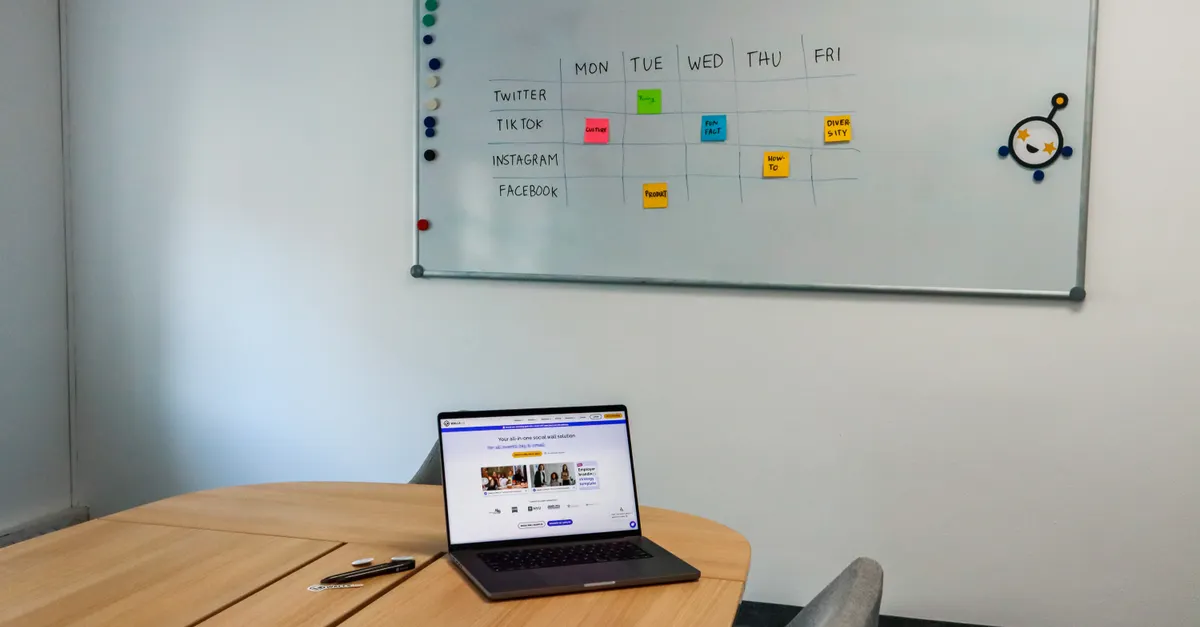
4. Map Out a Content Calendar
Using a structured tool like the AMA Social Media Content Calendar Template, plot your posts on a weekly or monthly basis. Include:
- Key dates (holidays, product launches, events)
- Recurring themes or series
- Content repurposing opportunities
This visual overview helps you spot gaps and maintain a balanced schedule.
5. Schedule Posts for Optimal Times
Leverage your automation tool’s analytics to identify when your audience is most active. For example, Hootsuite’s AI-powered scheduler recommends posting times based on engagement data. Schedule your posts in advance, but remain flexible to accommodate timely updates or trending topics.
6. Monitor and Adjust
After your schedule is live, track performance metrics such as reach, clicks, and engagement. Use these insights to refine your posting times, content types, and frequency. Regularly update your calendar to reflect new goals or audience shifts.
Best Practices for Maximizing Engagement
Simply automating your posts isn’t enough—how you schedule and craft your content directly impacts engagement. Here are proven strategies to boost results:
Post at the Right Times
According to Sprout Social, scheduling content to go live when your audience is most active can significantly increase visibility and interaction. Use platform analytics or your tool’s recommendations to find these windows.
Maintain Consistency Without Overposting
Consistency builds trust, but too many updates can overwhelm followers. Establish a steady rhythm—such as one post per day or a few times per week—based on your audience’s preferences and platform norms.
Mix Up Content Formats
Alternate between images, videos, carousels, and interactive posts to keep your feed dynamic. Experiment with different formats to see what resonates most with your audience.
Engage Beyond Scheduling
Automation frees up time for genuine interaction. Respond to comments, participate in conversations, and share user-generated content to foster community. Consider using social media analytics books to deepen your understanding of engagement metrics.
Review and Refine Regularly
Set aside time each month to review your analytics. Identify top-performing posts and adjust your strategy accordingly. Continuous improvement is key to long-term success.
Common Challenges and How to Overcome Them
While automation offers many benefits, it’s not without pitfalls. Here’s how to address common issues:
- Loss of authenticity: Avoid sounding robotic by customizing captions and responding to real-time events.
- Platform changes: Stay updated on algorithm updates and adjust your schedule as needed.
- Content fatigue: Rotate themes and formats to keep your feed fresh and engaging.
Using a content calendar planner can help you maintain variety and relevance.
Conclusion
Implementing an automated social media posting schedule can transform your digital marketing efforts by saving time, ensuring consistency, and boosting engagement. By selecting the right tools, planning strategically, and following best practices, you’ll be well-equipped to grow your brand’s online presence. Remember to monitor results and stay flexible—social media is always evolving, and so should your approach.
Frequently Asked Questions
What are the main benefits of automating social media posts?
Automation saves time, ensures consistent posting, and allows you to reach your audience when they’re most active. It also provides valuable analytics to help you refine your strategy and maximize engagement.
How do I choose the best tool for scheduling posts?
Consider factors like supported platforms, ease of use, analytics capabilities, and pricing. Tools such as Hootsuite offer robust scheduling and analytics, while templates like the AMA Social Media Content Calendar provide structured planning. For more guidance, see this overview of how to choose automated social media tools.
Does automated scheduling affect engagement?
Yes, scheduling posts for optimal times can increase visibility and interaction. However, it’s important to balance automation with real-time engagement and adapt your schedule based on analytics to achieve the best results.