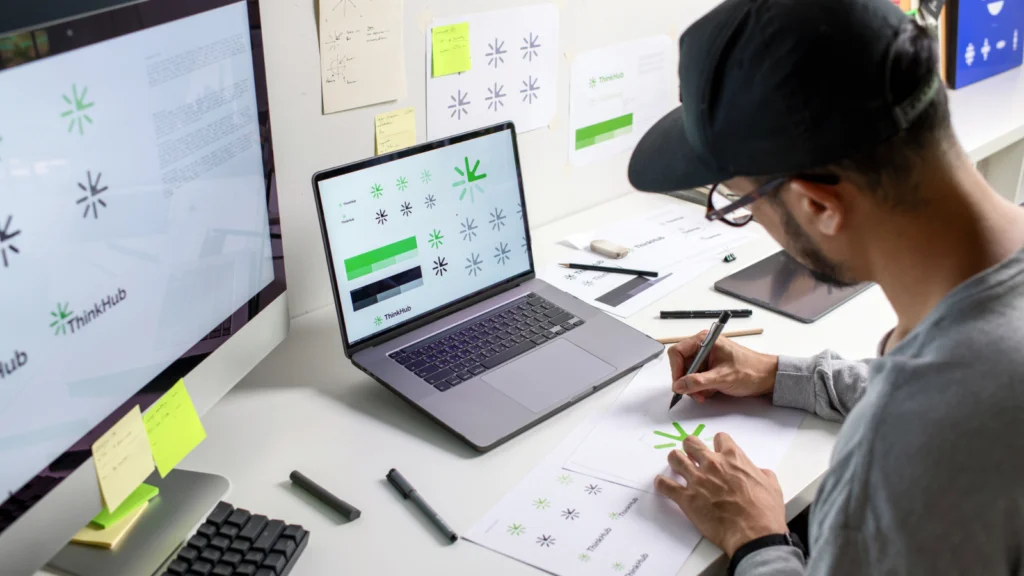

In today’s fast-paced design industry, efficiency is essential. Creative professionals are constantly seeking ways to streamline their processes and deliver high-quality results without sacrificing time. Branding tools for designers have become indispensable, offering everything from logo creation to brand asset management and collaboration features. With the right digital solutions, designers can focus more on creativity and less on repetitive tasks or manual organization.
Whether you’re working solo or as part of a team, leveraging the latest branding platforms can transform your workflow. These resources help maintain brand consistency, speed up revisions, and ensure every project meets client expectations. For those interested in how technology is shaping this space, exploring the future of online branding tools provides valuable insights into upcoming trends and innovations.
Why Efficient Branding Platforms Matter for Designers
Time is a designer’s most valuable asset. By integrating branding tools for designers into daily routines, professionals can automate repetitive steps, manage assets more effectively, and collaborate seamlessly with clients or colleagues. These solutions not only boost productivity but also help maintain a consistent visual identity across all touchpoints.
Modern branding platforms often include features such as:
- Logo and asset generators
- Brand guideline templates
- Color palette and typography management
- Centralized asset libraries
- Collaboration and feedback tools
By using these features, designers can reduce manual errors, speed up approvals, and ensure that every project aligns with the intended brand message.

Key Features to Look for in Branding Solutions
Not all digital branding resources are created equal. When evaluating which options to integrate into your workflow, consider the following essential features:
- Asset Organization: A robust system for storing, tagging, and retrieving logos, fonts, images, and templates.
- Brand Guidelines: Tools that allow you to quickly generate and share brand standards with clients or team members.
- Collaboration Capabilities: Real-time editing, commenting, and approval workflows to keep projects moving smoothly.
- Template Libraries: Access to pre-designed templates for presentations, social media, and marketing materials.
- Integration: Compatibility with other design software, such as Adobe Creative Cloud or Figma, for seamless transitions between tasks.
Choosing platforms with these features ensures that designers spend less time searching for assets or waiting for feedback and more time on creative problem-solving.
Popular Branding Tools That Accelerate Design Workflows
There is a wide range of digital solutions available, each catering to different aspects of the branding process. Here are some categories and examples that can help designers work smarter:
- Logo Makers: Online platforms like Looka and Hatchful allow for quick logo creation with customizable templates.
- Brand Asset Managers: Tools such as Frontify and Brandfolder centralize assets, making it easy to maintain consistency across projects.
- Style Guide Generators: Solutions like Canva and Lucidpress offer easy-to-share brand guidelines for teams and clients.
- Color Palette Tools: Adobe Color and Coolors help designers generate and manage color schemes efficiently.
- Collaboration Platforms: Figma and Miro provide real-time editing and feedback, streamlining teamwork and approvals.
For a deeper dive into the range of options available, this comprehensive overview of branding tools covers additional platforms and their unique features.

How Branding Tools Improve Collaboration and Consistency
One of the biggest challenges in design is maintaining a unified brand identity, especially when multiple people are involved. Modern branding platforms address this by providing centralized libraries, shared guidelines, and real-time collaboration features. This ensures that everyone—from designers to marketers—works from the same set of assets and rules.
For example, asset managers allow team members to access the latest logos, color palettes, and templates without confusion. Style guide generators make it easy to update and distribute new standards as brands evolve. Real-time feedback tools reduce delays and miscommunication, helping projects move forward efficiently.
These advantages are particularly valuable for agencies or teams working with multiple brands. By standardizing processes and resources, designers can deliver consistent results and adapt quickly to client needs.
Integrating Branding Resources Into Your Workflow
Adopting new digital solutions may seem daunting at first, but the long-term benefits far outweigh the initial learning curve. Here’s how to effectively incorporate these resources into your daily routine:
- Assess Your Needs: Identify which aspects of your workflow are most time-consuming or prone to errors.
- Test Different Platforms: Take advantage of free trials or demos to find the best fit for your process.
- Standardize Asset Management: Move all brand assets to a centralized library for easy access and version control.
- Document Brand Guidelines: Use style guide tools to create clear, shareable standards for every project.
- Encourage Team Adoption: Train colleagues or clients on how to use these platforms for maximum efficiency.
Over time, these steps will help you deliver projects faster, reduce errors, and build stronger brand identities for your clients.
Specialized Branding Tools for Different Industries
While many branding platforms are designed for general use, some cater to specific sectors or needs. For example, branding tools for nonprofit organizations focus on storytelling and donor engagement, while branding tools for B2B companies emphasize lead generation and corporate consistency. There are also solutions tailored for influencer marketing, such as branding tools for influencer marketing, and for tracking online brand mentions, like brand mention tracking tools.
Choosing a solution that aligns with your industry or client base can further enhance your workflow and the impact of your branding efforts.
FAQ
What are the main benefits of using branding tools in design workflows?
These platforms help designers save time, maintain brand consistency, and improve collaboration. They automate repetitive tasks, centralize assets, and streamline communication, allowing creative professionals to focus on delivering high-quality work.
How do I choose the right branding solution for my needs?
Start by identifying your workflow bottlenecks and evaluating platforms that address those specific challenges. Look for features like asset management, template libraries, collaboration tools, and integration with your existing software. Testing several options before committing can help you find the best fit.
Can small design teams benefit from these tools?
Absolutely. Even solo designers or small teams can gain significant efficiency and professionalism by adopting digital branding resources. These solutions make it easier to organize assets, share guidelines, and present a unified brand image to clients.