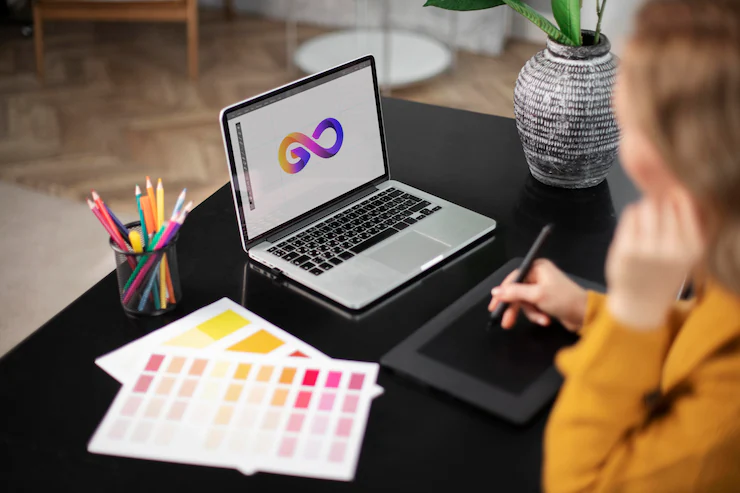

Building a strong brand identity starts with a memorable logo. For many entrepreneurs, small business owners, and creators, hiring a professional designer may not be practical due to budget or time constraints. Fortunately, you don’t need advanced design skills to craft a logo that looks polished and credible. With the right approach and modern tools, anyone can develop a visual identity that stands out.
This guide covers practical steps and essential tips for how to create a professional logo on your own. You’ll learn about the key principles of effective logo design, explore popular online tools, and discover best practices to ensure your logo aligns with your brand’s goals. If you’re interested in exploring the future of online branding tools, there are also resources to help you stay ahead as branding technology evolves.
Understanding the Basics of Effective Logo Design
Before diving into tools or templates, it’s important to understand what makes a logo effective. A strong logo is more than just an attractive graphic—it’s a visual representation of your brand’s identity and values. Here are some foundational principles to keep in mind:
- Simplicity: The best logos are clean and easy to recognize. Avoid clutter and unnecessary details.
- Memorability: A distinctive design helps people remember your brand.
- Versatility: Your logo should look good on different backgrounds, in black and white, and at various sizes.
- Relevance: Colors, fonts, and symbols should reflect your industry and audience.
- Timelessness: Aim for a design that won’t look outdated in a few years.
By focusing on these elements, you’ll set a strong foundation for a logo that communicates professionalism and trust.
Choosing the Right Tools for DIY Logo Creation
Thanks to the rise of online design platforms, you don’t need expensive software or advanced skills to make a quality logo. Many tools offer intuitive interfaces, templates, and customization options tailored for non-designers. Here are some popular choices:
- Canva: Offers a wide range of templates and drag-and-drop features, making it easy to experiment with layouts, fonts, and colors.
- Looka: Generates logo ideas based on your brand name and preferences, then allows you to tweak the design.
- Hatchful by Shopify: Provides industry-specific templates and quick export options for web and print.
- LogoMakr: A straightforward editor with a large icon library and flexible customization.
When selecting a tool, consider your comfort level, the types of files you need (such as PNG, SVG, or PDF), and whether you want access to advanced features like transparent backgrounds or brand kits. For a broader look at branding solutions, you might find value in reading about the best tools for brand management available today.

Step-by-Step Guide to Designing Your Own Logo
Follow these steps to create a logo that looks polished and fits your brand, even if you have no prior design experience:
-
Define Your Brand Identity
Start by clarifying your brand’s personality, values, and target audience. Are you aiming for a playful or serious tone? Do you want to appear modern or traditional? Jot down keywords and ideas that represent your business.
-
Research Competitors and Inspiration
Look at logos from similar businesses for inspiration. Identify what works and what doesn’t. This research helps you avoid clichés and ensures your logo stands out.
-
Choose Your Logo Style
Decide on the type of logo that suits your brand. Common styles include:
- Wordmark: Focuses on your business name in a unique font (e.g., Google, Coca-Cola).
- Lettermark: Uses initials or abbreviations (e.g., IBM, HBO).
- Icon or Symbol: Relies on a graphic element (e.g., Apple, Twitter).
- Combination Mark: Blends text and icon (e.g., Adidas, Burger King).
-
Select Colors and Fonts
Colors evoke emotions and influence perception. Choose a palette that matches your brand’s personality. Stick to two or three colors for simplicity. For fonts, select one or two that are legible and reflect your style—avoid overly decorative typefaces.
-
Draft and Refine Your Logo
Use your chosen tool to experiment with layouts, icons, and text. Start simple, then refine the details. Test different arrangements and ask for feedback from friends or colleagues.
-
Test for Versatility
Ensure your logo works in various contexts—on business cards, websites, social media, and merchandise. Check how it appears in black and white and at small sizes.
-
Download and Save Proper Files
Export your final logo in multiple formats (PNG for web, SVG for scalability, PDF for print). Keep a version with a transparent background for flexibility.
Common Mistakes to Avoid When Making Your Logo
Even with user-friendly tools, it’s easy to fall into traps that make your logo look amateurish. Watch out for these pitfalls:
- Overcomplicating the Design: Too many elements can make your logo hard to read and reproduce.
- Using Clip Art or Stock Icons: Generic graphics can undermine your brand’s uniqueness.
- Poor Font Choices: Avoid hard-to-read or trendy fonts that may not age well.
- Ignoring Scalability: Your logo should be clear at any size, from a favicon to a billboard.
- Color Dependence: Make sure your logo is effective in monochrome as well as color.
By steering clear of these mistakes, you’ll boost your chances of creating a logo that feels credible and enduring.
Enhancing Your Brand with Additional Resources
Once you’ve developed your logo, consider how it fits into your broader branding strategy. Consistency across all touchpoints—website, social media, packaging—reinforces recognition and trust. Explore guides on branding tools for B2B companies or branding tools for nonprofit organizations for more tailored advice. Staying updated on the latest branding technology can also help you maintain a competitive edge as your business grows.
Frequently Asked Questions
What are the most important elements of a professional-looking logo?
The most important elements include simplicity, memorability, versatility, relevance to your brand, and timelessness. A well-designed logo should be easy to recognize, work across different platforms, and reflect your brand’s core values.
Can I trademark a logo I create myself using online tools?
Yes, you can trademark a logo you design yourself, provided it is unique and not too similar to existing trademarks. Make sure to check trademark databases before finalizing your design and consider consulting a legal professional for guidance.
How do I choose the right colors and fonts for my logo?
Start by considering your brand’s personality and target audience. Choose colors that evoke the right emotions and fonts that are legible and match your brand’s tone. Limit your palette and font choices to keep the design clean and professional.
Are free logo makers good enough for business use?
Many free logo makers offer high-quality templates and customization options suitable for small businesses and startups. However, always review the licensing terms to ensure you have the rights to use your logo commercially and consider upgrading to paid versions for more features and file types.
What file formats should I have for my logo?
It’s best to have your logo in several formats: PNG (for web and transparent backgrounds), SVG (for scalability), and PDF (for print). Having these ensures your logo looks sharp and professional in any context.